El día después de Reyes me llegó por fin la Raspberry Pi

El día después de Reyes me llegó por fin la Raspberry Pi
Impartí un Taller sobre Competencias (outcomes) con Moodle.
El vídeo de mi taller está disponible en:


 Moodle Moot UK 2014 (Edinburgh)

405 attendees – 26 countries represented at #mootuk14 Awesome!
— Michelle Moore (@michelledmoore) abril 16, 2014
RT @Bex83: These bad boys have been the stars of the moot! Finding them especially helpful this morning! #mootuk14 pic.twitter.com/HLkhPehk7L…
— Ben Reynolds (@thebenreynolds) abril 16, 2014
Hands up if you love Moodle. #mootuk14 pic.twitter.com/kmLENT4Bim — Michael Grainger (@mikedavro) abril 15, 2014
“@moodler: #mootuk14 Thanks all for such a good conference! pic.twitter.com/n7jXUrh1J1” I see me!! — Rebecca Barrington (@BBarrington) Mayo 19, 2014
Next will be …
Math teachers in Colegio Apóstol are eager to use Wiris integrated into our current Moodle 1.9.x platform. They say Wiris is the 2nd most powerful E-tool they’ve tested so far to improve the quality of their teaching. The first one is of course our beloved Moodle VLE 😉
I was quite reluctant to install commercial software in our moodle site but I had the chance to meet and talk to the Wiris team in the last two Spanish Moodlemoots. They are really doing a great job and they pushed me forward to give it a try.
Fortunately this week the most part of our students are leaving for cultural activities, so it’s time to refresh my pending to-do list and one of the first thing to be removed will be:
Installing WIRIS in Moodle 1.9.x for our Math Teachers
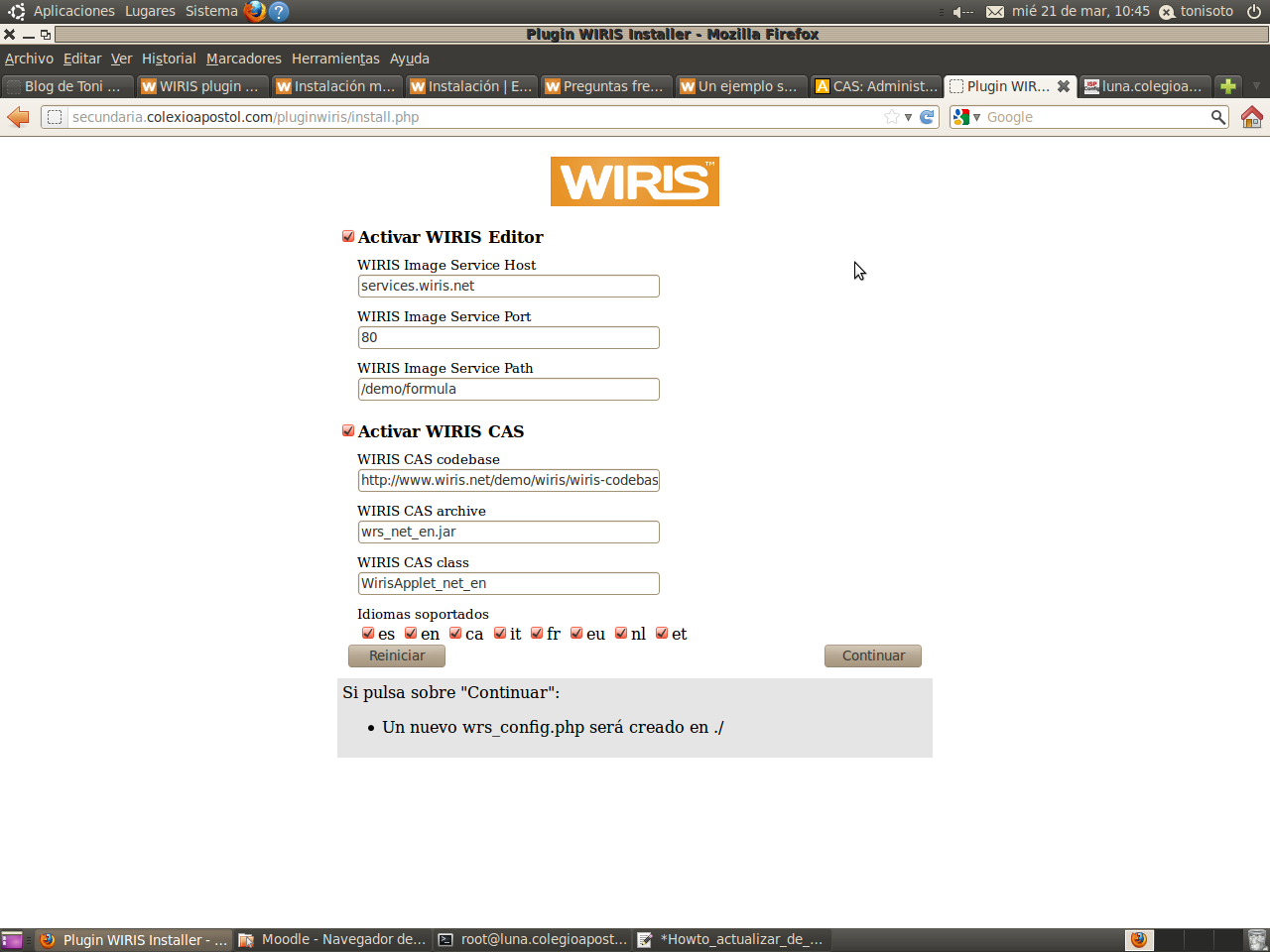
These are the steps to easily install it in a production moodle server:
a.- Read the manual before starting: http://www.wiris.com/es/plugins/docs/moodle/moodle-1.x (Wiris Pluging for moodle)
http://www.wiris.com/es/plugins/docs/moodle/install/install-manually (Install Manually)
http://www.wiris.com/es/quizzes/docs/install (Wiris quizzes)
http://www.wiris.com/es/quizzes/docs/install/frequently-asked-questions#wiris_quizzes_service_server (FAQ)
http://www.wiris.com/es/quizzes/docs/install/uninstall (Uninstall)
http://www.wiris.com/es/quizzes/docs/manual/un-ejemplo-sencillo (Ejemplo sencillo)
b.- Download the latest wiris pluging for moodle 1.9 from here: http://www.wiris.com/es/plugins/moodle/download:
http://www.wiris.com/es/downloads/files/617/010moodle1/pluginwiris2.4.2.zip
c.- Download the latest wiris quizzes from here: http://www.wiris.com/es/quizzes/download
http://www.wiris.com/es/downloads/files/649/wiris-quizzes-1.4.9.63.zip
En mi centro educativo utilizamos Moodle en Secundaria (ESO y Bachillerato) desde el año 2009. Al principio sólo la usaba yo pero poco a poco, otros compañeros fueron interesándose e incorporando Moodle a sus materias. En este borrador recojo algunas ideas iniciales que rondan en este instante por mi cabeza.
Cuando el Colegio me propuso generalizarlo para toda la Secundaria, les puse una condición: Ningún profesor debería ser ‘forzado’ a usar Moodle. Moodle es una herramienta tan poderosa para la docencia que estoy seguro que acabará cautivando los deseos de cualquier profesor sin necesidad de imponerla.
Hoy usan nuestro Moodle todos los alumnos de Secundaria del Centro (aprox 600 alumnos) ya que en todos los cursos desde 1º de ESO hasta 2º de Bachillerato hay al menos dos o tres profesores (en algunos más) que la usan intensamente.
Son 22 los profesores de Secundaria que la usan en sus materias (normalmente los que la usan, la usan en todas las materias que imparten). 10 profesores han solicitado cursos en Moodle para alguna de sus materias pero en realidad no la usan. El resto tienen una cuenta de usuario básico (rol alumno) en Moodle para asuntos de gestión académica (departamentos, equipos,..) pero no la usan con el rol de profesor.
Hace unas semanas hicimos en el centro una jornada de comunicación de experiencias innovadoras entre los profesores del centro. Usando un cuestionario de Moodle votamos las experiencias que nos parecieron más interesantes e invitamos a los autores a que expusiesen en 15-20 min sus experiencias al claustro.
Algunas de esas experiencias se basaba o se apoyaban en un uso intenso y sobre todo eficiente de Moodle. Por otro lado los compañeros que imparten clases en 1º de ESO estarán inmersos el próximo año en el proyecto Abalar de la Xunta de Galicia. La necesidad de actualizar las competencias TIC y el atractivo de Moodle han disparado las solicitudes de formación para el uso de la plataforma.
Hasta ahora la formación para Moodle la impartía a mis compañeros de un modo muy informal: en los pasillos, a través de correo electrónico, a través de un foro a los más atrevidos (un día tengo que escribir un post sobre esto!) y en un curso de 8 horas que impartimos el año pasado. Pero empiezo a ver que se cometen muchos errores en el diseño de los cursos y en el uso de efectivo de Moodle como apoyo a materias de Secundaria.
The problem:
Recently I set up a new web site for the godmother of my son. She bought a domain ‘casanovaminiaturas.com‘ and I managed to arrange the hosting and to install some software for her. For managing the e-mail we decide to use Google Apps but when we signed up, we did it for the bussines edition instead of standard edition which is free. After 30 days Google Apps cancelled our account, so we could not log in to read our e-mail.
Continue reading ‘Downgrade from Google Apps from business to standard edition’ »
Durante los días 7 al 9 de septiembre de 2011 los profesores de Secundaria del Colegio Apóstol Santiago tuvimos unas jornadas sobre el desarrollo de la ‘Competencia Social‘ y la mejora del clima escolar. El curso fue impartido por Juani Mesa, Doctora en Psicología Evolutiva y Educación.
Durante esos tres días asistí a las sesiones sin lápiz, bolígrafo o papel. Sólo llevé mi smartphone para experimentar las ventajas e inconvenientes de usar Twitter como herramienta educativa. En este caso no era yo el docente, pero pensando en cómo lo podría utilizar yo si lo fuese, decidí twittear el evento.

Logo Twitter
…, qué estaba haciendo realmente? Qué es eso de twittear?
Bueno…. ya habéis visto mis tweets. Pues eso es lo que hice además de hacer preguntas, trabajar en mi divertido equipo nº 5 e incluso ser portavoz del mismo el primer día. Y, tras estos días de trabajo estas son mis conclusiones:
Continue reading ‘Twitteando las jornadas sobre ‘Competencia Social’’ »
 This is a howto about exchanging databases among Moodle 1.9.x courses.
If you made a database activity in one course and them you want to export it to another course in the same or different server you should proceed in this way:
a.- Go to a tab menu called ‘Presets’ in database activity
b.- You will find an option to export the database schema (fields, templates..) to a zip file or to save a copy in the same Moodle installation for being used in another (or the same) course. The presets don’t include data.
c.- Now, go to ‘Export’ tab and check CSV format and all the fields of your databases from where you wish to save data for exporting and click on the ‘Export database records’ to generate and download the CSV file.
Afterwards you will have two files:
Now, go to the course from where you wish to import the database and proceed in this way:
After reading a lot this summer about PLE (Personal Learning Environments) and PLN (Personal Learning Networks) and while I was involved in testing some tools to make conceptual maps for my lessons I though that it would be a good idea to draw my PLE using IHMC_CMapTools. Doing this I will not only would test the CMapTools but also reflect on the sources of my Learning and the tools that I actually use every day.
The image below represents my current PLE & PLN (click image to enlarge):
 IHMC_CMapTools is a free application which can be installed on any platform if previously Java is installed. IHMC_CMapTools is very easy to use and I think it might be my choice for being used in my lessons the next course.